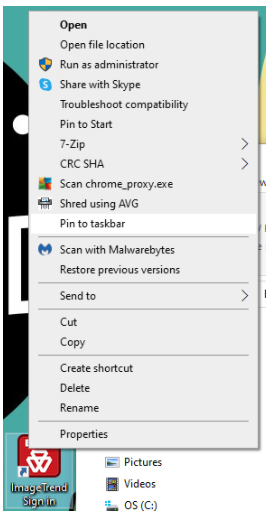
Would you like to have an ImageTrend Icon in your Windows 10 taskbar like you have had for FireHouse?

To do so, follow the below steps using Google Chrome. First open the below URL to the ImageTrend login screen https://bcfdmo.imagetrendelite.com/Elite/Organizationbcfdmo/
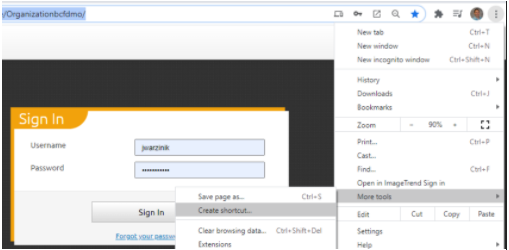
Next, click Chrome’s settings icon (three circles) in the upper right corner and select More Tools, then Create Shortcut.
Next change the name of the shortcut to “ImageTrend Sign In” and check the box to Open as window and then click Create. Now, find the new Shortcut (shortcut with the ImageTrend Elite icon) on your desktop and then right click on the shortcut. Finally click “Pin to taskbar”.